
Git worktrees for AI coding
Parallel AI coding breaks down when multiple sessions touch the same checkout. Nora uses isolated worktrees to keep agent runs separate, reviewable, and easier to merge.
Separate workspaces for separate agent tasks.
Cleaner diffs and branch ownership during parallel work.
Less merge confusion when multiple agents are active.
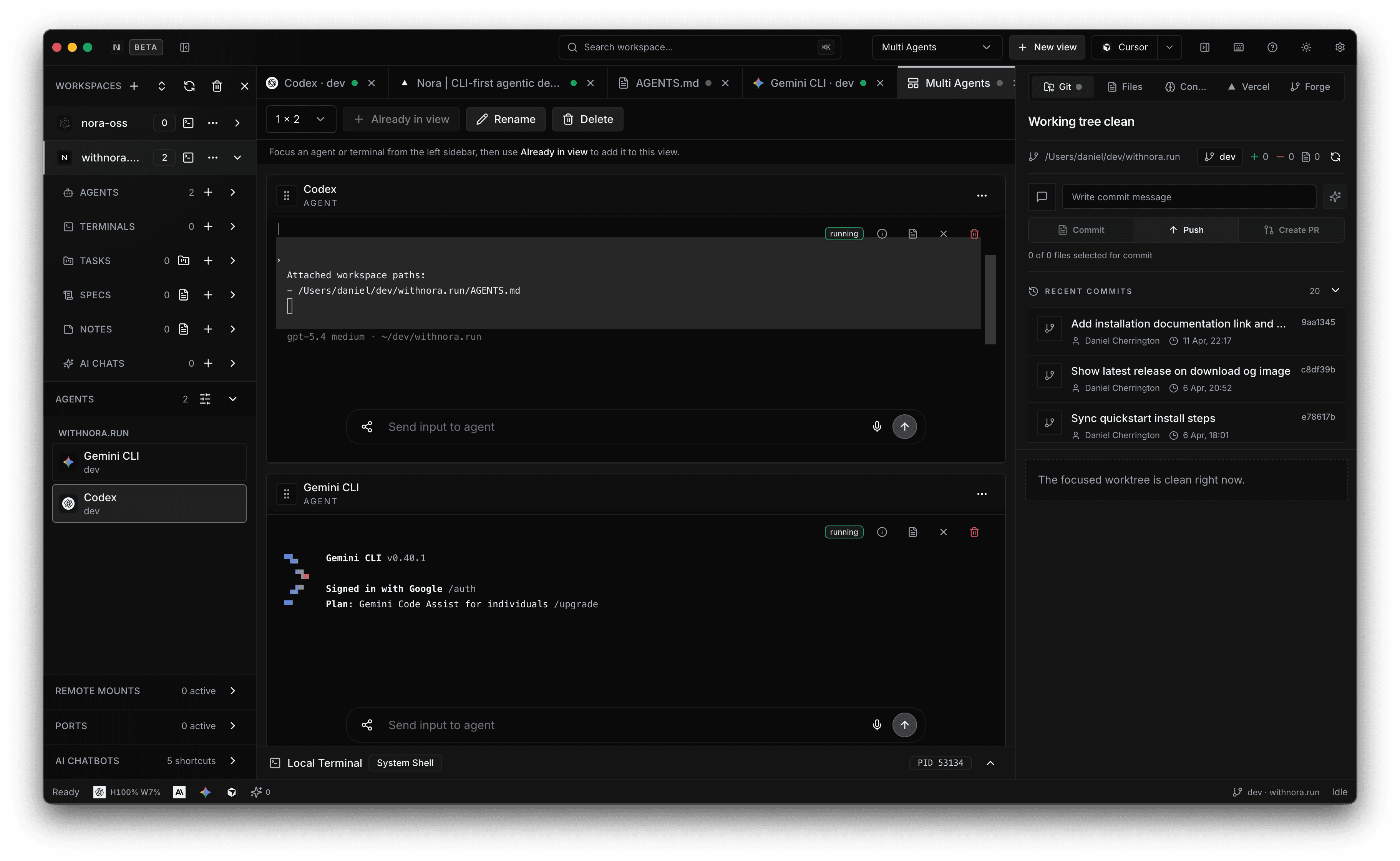
Why worktrees matter for agents
Agents are much easier to reason about when each one gets an isolated working tree. That prevents accidental overlap, reduces merge confusion, and keeps session scope cleaner.
- Each task can have its own branch-backed workspace.
- File state becomes attributable to a single run.
- Parallel work no longer means shared-checkout chaos.
How Nora uses worktrees
Nora treats worktrees as a first-class part of the product model. Sessions can run against dedicated repository copies so file changes, branches, and diffs stay attributable to a specific piece of work.
- Worktrees are visible inside the workspace model.
- Diffs and changes stay attached to the right session.
- Review stays cleaner when branch ownership is explicit.
Where to go deeper
The worktrees and repo tools docs explain the mechanics. The tasks and context handoffs pages explain why that matters once more than one agent is active.
- Read worktrees for the mechanic.
- Read tasks for execution boundaries.
- Read context handoffs for multi-agent continuity.
Why are worktrees better than one shared branch for AI coding?
Because they isolate file changes and branch state per task, which makes review, debugging, and merging significantly easier once more than one agent is involved.
Do worktrees matter for solo developers too?
Yes. Even for a single operator, worktrees reduce context collision between separate tasks and make it easier to inspect changes cleanly.